 Cyber
Cyber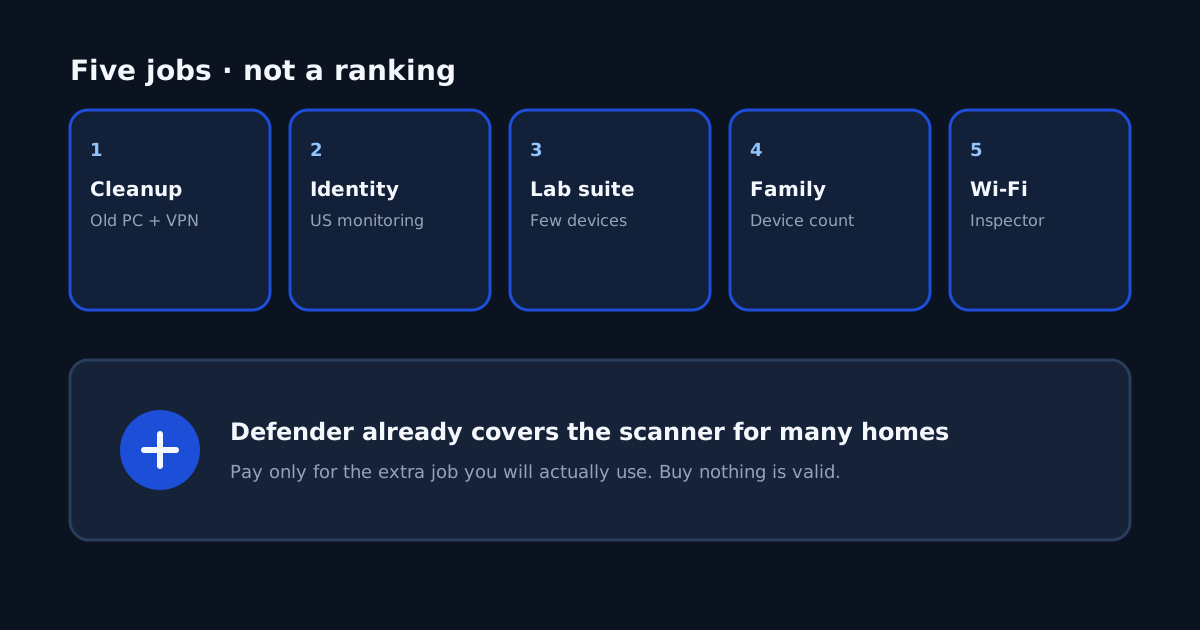
A common question after a Windows 11 subscription expires is whether you still need paid antivirus. For many households, Microsoft Defender Antivirus is enough: keep Windows updated, avoid unknown attachments, and use a unique password plus two-factor authentication on email. A second common scene is a repair shop that installed Avast, or an expired McAfee trial still running. You can uninstall those products and go back to Defender. That is not a claim that Avast or McAfee is “useless.” It is a claim that you do not owe a shop a renewal to have a scanner on Windows. Paid extras are optional jobs. Buying nothing is a valid outcome. Commissions on the links below may affect placement; they do not change the jobs.
1. Cleanup and a light VPN on an old PC
If the laptop passed a hardware check — not a dying HDD, not 4 GB of RAM gasping under two scanners — and you still want junk cleanup plus a simple VPN for café Wi-Fi, that is a job. We map it to TotalAV. It will not fix a clicking disk; read 7 hardware signs and how to run antivirus on an old computer first. If you only needed to remove a shop leftover so Defender can run, you are already done.
2. US identity monitoring
A scanner does not watch your Social Security number. If the job is dark-web or credit-adjacent monitoring for a US household, we map that to Norton’s LifeLock-style plans. Start with a free credit freeze and IdentityTheft.gov if a number was already exposed. The virus-removal promise on some Norton plans is Norton’s policy — read it on checkout, not as our guarantee. Details: how to compare Norton LifeLock identity theft protection.
3. A lab-oriented suite for a few devices
If you want a multi-device suite and you shop by independent Windows charts, we map that job to Bitdefender Individual. Open the current consumer chart on AV-TEST yourself. One window is not a lifetime score. How to read the chart: how to read AV-TEST scores before buying Bitdefender. Install it after the PC is clean, not as the third engine in a rescue.
4. One license that covers a family’s devices
Count phones and laptops first. If the job is one dashboard for many household devices, we map that to McAfee — and you still confirm the device limit and which tools work on iOS versus Windows. Expired McAfee on a single old laptop is not this job. Uninstall it and use Defender on that PC if you are not paying. Family write-up: best antivirus for a family with multiple devices.
5. A home or public Wi-Fi inspector
Lock the router first: unique admin password, WPA2 or WPA3, guest network for cameras. An inspector is a flashlight after that, not the lock. We map the inspector job to Avast. It is not the fix for a fake virus popup — close those in Task Manager, then see 8 ways to tell a popup is fake and how to check if your home Wi-Fi is safe. A shop-installed Avast you never asked for can be uninstalled; you can still buy an inspector later if that job appears.
If a shop left Avast on a family laptop, or McAfee expired and Windows Security now shows a warning, uninstall the leftover from Settings → Apps, restart, and confirm Defender is on. You can still buy one of the jobs later. You do not have to replace the leftover with a different paid brand on the same afternoon.
If none of the five jobs is yours, keep Defender, keep backups, and skip the carts. That is the intended reading of this page.