 Cyber
Cyber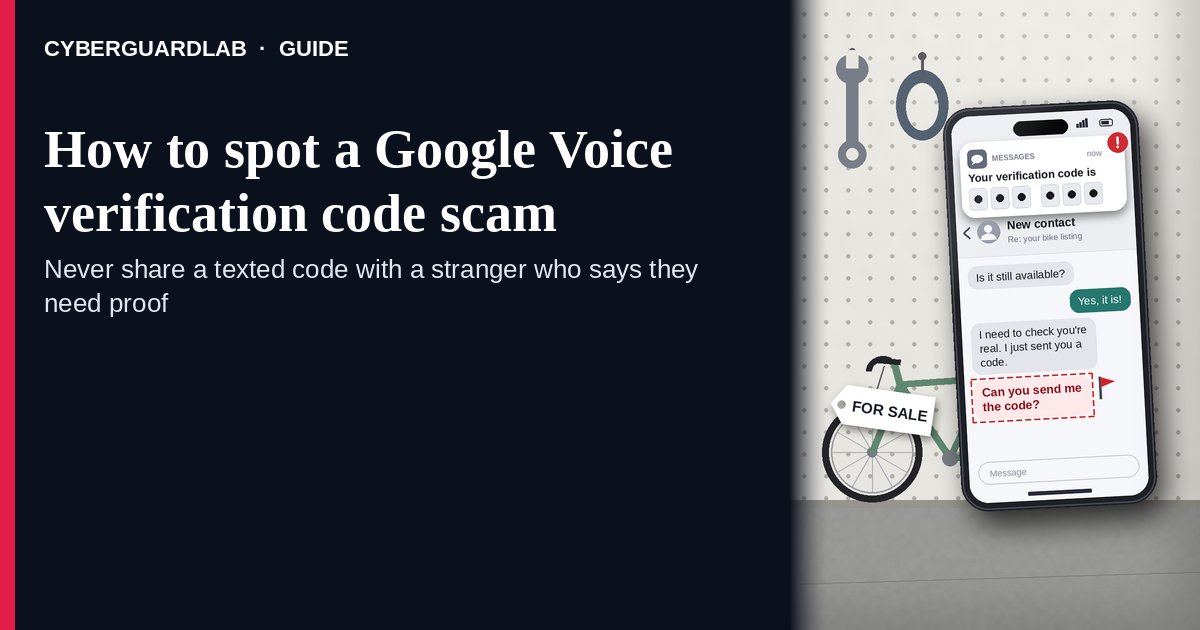
A Google Voice verification code scam is when a stranger — usually a “buyer” on a listing you posted, or someone who says they found your lost pet — asks you to read back a six-digit code that Google just texted you, claiming they need to “verify you are real.” The FTC explains what is actually happening: the scammer is using your phone number to set up a Google Voice number for themselves, which they can then use to scam other people while hiding who they are, and sometimes to dig for more of your account details. Google’s own Voice Help says not to reply to any request for your verification code, and that Google employees will never ask for it. The safe habit: never share any verification code with someone who contacted you, and if you already did, disconnect your number from Google Voice using Google’s steps. This page is about the Google Voice “verify you’re real” code request only. The broader seller-side scam on Marketplace is Facebook Marketplace scam; codes texted for your bank or email login are Fake two-factor authentication text. CyberGuardLab is independent. Referral fees may affect product placement on other pages. Buying nothing and sticking to free verification habits is a valid outcome.
The short answer
If someone you don’t know asks for a code Google texted you, it’s a scam — do not send it. If you already shared it, disconnect your number from Google Voice using Google’s Voice Help steps, secure your Google Account, and report it at ReportFraud.ftc.gov.
What a Google Voice verification code scam usually looks like
The story changes, but the ask is always the same: “read me the code you just got.” The FTC calls it a scam every time when the person contacted you first.
Common shapes US households report:
- “Buyer” on a listing you posted — Facebook Marketplace, Craigslist, OfferUp, or similar — says they have been scammed before and want to make sure you are a real person, then says they are sending you a code.
- Someone who “found your lost pet” after you posted a flyer or social media alert says they need to confirm you are the real owner with a code.
- The text really comes from Google — a Google Voice verification code — which makes it feel safe. The danger is not the text; it is giving the code to the stranger.
- Repeat requests — “that code didn’t work, do you have another number?” — so the scammer can try more of your household’s phone numbers.
- Follow-up asks for more — your email address, a second code, or a move to another app. That can be a step toward account takeover; see OTP relay scam call for the phone-call version of code theft.
FTC guidance: don’t share your Google Voice verification code — or any verification code — with someone if you didn’t contact them first, and report it at ReportFraud.ftc.gov.
Google Voice code scam vs real Google code vs related lure
| Signal | Google Voice code scam | Real Google verification code (typical) | Related lure (fake 2FA / login text) |
|---|---|---|---|
| Who started it | A stranger who contacted you about a listing or a pet. | You — because you just signed up or added a phone yourself. | A text pretending a bank or app needs you to “confirm” a code or link. |
| Ask | “Read me the code so I know you’re real.” | Type the code yourself into the Google screen you opened. Nobody asks you for it. | Tap a link or reply with the code to “stop a login.” |
| Pressure | “I have to buy today” / “your dog is with me now.” | None; you finish setup on your own time. | “Account locked unless you confirm now.” |
| Safe next step | Don’t send it. Stop talking to the person. Meet buyers only on your terms. | Use it only in the screen you started. | See Fake two-factor authentication text. |
| Related guide | This page | Google Voice Help · Google Account settings you open yourself | Fake two-factor authentication text · OTP relay scam call |
A real buyer or a real pet finder has no reason to need a code from your phone. If they insist, that is your answer.
How to handle a Google Voice code request (US household steps)
Do this the moment a stranger asks for a code, or right after you realize you already sent one. You do not need a paid product to finish these steps.
- Do not read back, type, or forward the code. Not to a buyer, a seller, a pet finder, or anyone claiming to be Google. Google’s Voice Help says Google employees will never ask for this code.
- Stop the conversation and keep the deal on your terms. Buyers who are real can meet in a public place or pay through the platform’s own tools. Do not move to another app or share your email address because the person asked. More on the listing side: Facebook Marketplace scam.
- If you already shared the code, disconnect your number from Google Voice. Follow the “Disconnect your number from Google Voice” steps in Google’s Protect your verification code help article — it is written for people who are not Google Voice users but were scammed into giving a code. Do it for every phone number you gave the scammer, one at a time.
- If you do use Google Voice yourself, reclaim your linked number. Google’s Reclaim your Voice number article explains how to add your number back from voice.google.com settings on a computer and claim it if another account is using it.
- Secure your Google Account. If you shared more than the Voice code — your email, another code, or a password — change your Google password from a device you trust, review signed-in devices and recovery info, and run Google account security checkup. If other accounts may be exposed, use IdentityTheft.gov.
- Report it and tell the household. File at ReportFraud.ftc.gov, report the profile on the marketplace or social site where it started, and forward scam texts to 7726 (SPAM). Agree that nobody in the house reads verification codes to anyone who contacted them. Checklist: How to report a scam to the FTC.
Signs the request is a scam (scan table)
Use this as a quick pass when a stranger mentions a code.
| Sign | Why it matters | What to do |
|---|---|---|
| A stranger says they are “sending you a code” to verify you | They are triggering Google Voice signup with your number | Do not send the code; stop replying |
| The code text is from Google, not from the marketplace | Shows the code is for a Google service, not the sale | Treat as a scam every time |
| “That one didn’t work — try another number” | Harvesting more household numbers | Stop; never share family phone numbers |
| Urgency: “I’ll buy right now” or “your pet is with me” | Emotion used to skip thinking | Slow down; real buyers can wait |
| Asks for your email or a second code next | Possible step toward account takeover | Refuse; check your Google Account security |
| You already sent the code | Your number may now be tied to their Voice account | Disconnect your number per Google Voice Help; report |
Free habits that reduce the blast radius
You do not need a new subscription to lower damage from a code scam.
- Household rule: verification codes are typed only into screens you opened yourself, never read to a person.
- When selling online, keep chat and payment inside the platform and meet buyers in public places.
- On lost-pet posts, ask finders to describe the pet or send a photo — never “verify” with a code.
- Turn on two-step verification for your Google Account and keep recovery info current. Phone-call code theft is covered in OTP relay scam call.
- Optional antivirus or web filtering is a separate layer if you also tapped a link; it does not replace the never-share-a-code habit. Built-in protections plus those habits are enough for many households.
What this page is not
This page is not a guide to setting up or using Google Voice, and not a review of marketplace apps.
It does not claim CyberGuardLab lab scores or “#1 anti-scam” ranks. It does not say every Google text is fake — real codes arrive when you sign up for something yourself. It is not the bank or email fake-2FA guide (see Fake two-factor authentication text) and not the full seller-side marketplace guide. Official recovery and reporting stay with Google Voice Help, ReportFraud.ftc.gov, and IdentityTheft.gov if personal data was stolen.
If you decide a paid extra is a real job
Most households can handle Google Voice code scams with the free steps above. Open a paid page only if you already named a job — for example identity alerts after you gave a scammer personal data, or cross-device protection after a bad link — and you will actually use it.
- PC / Mac suite with phishing and web protections many households already compare: Norton plans (paid link; confirm renewal price).
- Independent-test–oriented suite option: Bitdefender plans (paid link).
- Household suite shopping starting point: TotalAV plans (paid link; confirm renewal).
- Multi-device bill under one vendor: McAfee plans (paid link; confirm device limit).
- Another suite path some homes already use: Avast plans (paid link).
Buying nothing beyond the free never-share-a-code habit is still valid. Paid links above are on-site only.
FAQ
Why would a scammer want my Google Voice code?
According to the FTC, they use your code to create a Google Voice number linked to your phone number, then use that number to scam other people while hiding their identity. Some also try to gather enough of your information to get into your accounts.
I don’t even use Google Voice. Can this still affect me?
Yes. The scam uses your regular phone number. Google’s Protect your verification code article has steps to disconnect your number from Google Voice if you are not a Voice user but were scammed into giving a code.
I already gave the code. What should I do first?
Follow Google’s steps to disconnect your number from Google Voice for each number you shared, change your Google password from a trusted device if you shared anything else, and report at ReportFraud.ftc.gov. If more personal data went out, use IdentityTheft.gov.
How is this different from a fake two-factor authentication text?
Here, a stranger asks you to hand over a real Google Voice code to “verify” you. A fake 2FA text pretends to be your bank or app and pushes you to tap a link or reply with a login code. Same rule — never share codes — different costume. See Fake two-factor authentication text.
Is it safe to share a code if the buyer seems nice and the code is from Google?
No. The FTC says that sharing any verification code with someone who contacted you first is a scam every time. A real Google code is meant only for the screen you opened.
Do I need paid antivirus to avoid this scam?
No. This scam steals a code, not a file. The protection is the habit of never reading codes to anyone. Antivirus can be an optional layer if you also tapped a suspicious link; it does not replace that habit.