 Cyber
Cyber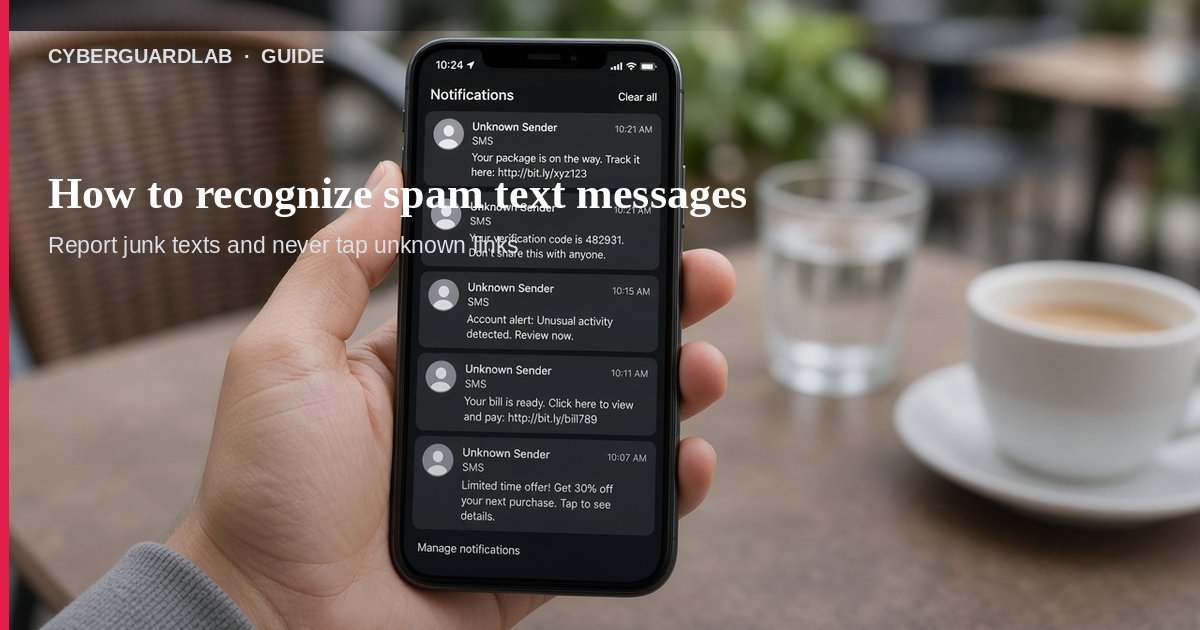
Spam text messages (smishing) try to steal passwords, account numbers, or Social Security numbers — or push you onto a fake site or malware link. Per FTC guidance, if an unexpected text asks for personal or financial information, do not click the links, and legitimate companies will not ask for your account information by text. This guide covers general spam and phishing texts (prizes, account alerts, loan pitches). For package-only delivery texts, use How to spot a fake delivery or package text scam. You do not need to buy antivirus to delete a spam text.
1. Know the spam-text pattern
From FTC spam-text guidance, watch for:
- Unexpected texts — You did not start the conversation.
- A promise — Free prizes, gift cards, coupons, or a “low or no interest” card that is not real.
- A fake problem — “Suspicious activity,” “payment problem,” or a fake invoice telling you to “contact us if you did not authorize this.”
- A personal-info ask — Income, debts, bank or card numbers, or Social Security number to “claim” something.
- A link — Spoofed login pages steal usernames and passwords; some links can install malware that steals data quietly.
2. Common household spam-text stories
- Prize / gift-card / coupon texts — “You won” — then a link or form for personal data.
- Fake account or payment alerts — Bank, store, or carrier “problems” that are not real.
- Fake invoices — “Contact us if you did not authorize this purchase.”
- Student-loan or debt “help” — Offers that will not actually help.
- Fake package delivery — Covered in depth in our delivery-text guide; same rule: do not tap the link.
3. What to do in the first 15 minutes
- Do not tap links or reply — Do not “unsubscribe” through the text either if it looks suspicious.
- Do not give personal or financial information by text.
- If it might be real — Contact the company with a phone number or website you already trust — not the number or link in the text.
- Report three ways (FTC):
- Forward a copy of the message to 7726 (SPAM) so your wireless provider can block similar texts.
- Report junk/spam inside your messaging app.
- Report at ReportFraud.ftc.gov.
- Delete the message after you report it.
- If you already tapped a link or entered a password — Change that password on a clean device, turn on MFA, and watch bank/email accounts. See phishing email habits and check for a data breach.
- Optional device check — If the link may have installed malware, run Microsoft Defender / your phone’s built-in Play Protect or iOS update path. A paid suite is not required first.
4. Safer texting habits (without buying software)
- Use your carrier or phone’s spam filtering / Silence Unknown Callers–style text filters where available.
- Never send one-time codes, passwords, or SSN over an unexpected text.
- Bookmark real bank and carrier sites; type them yourself when you need to check an alert.
- Treat prize texts the same as gift-card scams: if you did not enter, you did not win.
FAQ
How do I recognize a spam text message?
Unexpected prize, account, invoice, or delivery texts that push a link or ask for personal/financial info are classic spam/phishing texts.
What is the fastest way to report a spam text?
Forward it to 7726 (SPAM), report junk in your messaging app, and file at ReportFraud.ftc.gov.
Will a real bank text me about my account?
Banks may send alerts, but FTC says legitimate companies will not ask for your account information by text. If unsure, use a number or site you already trust.
Is a fake delivery text the same topic?
It is one spam-text subtype. Use this page for general smishing; use How to spot a fake delivery or package text scam for package-link scripts.
Do I need antivirus to handle spam texts?
No. Do not click, report, and delete. Defender or phone built-ins are enough unless you installed something from a link.
If you still want a paid suite
Ignoring and reporting spam texts does not require paid antivirus. Microsoft Defender is a valid buy-nothing choice for many Windows households. What actually helps is not tapping links, verifying alerts on a trusted channel, and reporting to 7726 and the FTC. If the household later wants multi-device paid protection, use only these on-site paid links: TotalAV (paid link), Norton (paid link), Bitdefender (paid link), McAfee (paid link), Avast (paid link).