 Cyber
Cyber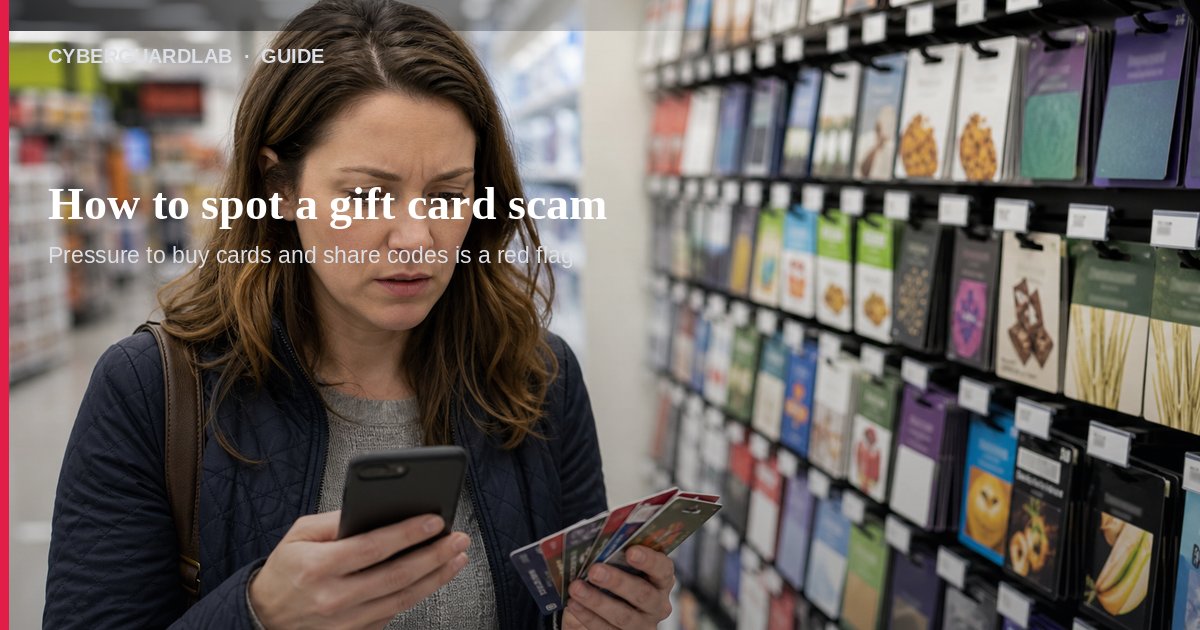
Only scammers tell you to buy a gift card (Google Play, Apple, Amazon, Target, and similar) and then give them the numbers or PIN from the back. No real business or government agency takes payment that way. This guide is about gift-card payment scams, not general phishing emails, fake delivery texts, fake IRS/tax refund messages, or tech-support phone scams (though those stories often end with “pay me with a gift card”). You do not need to buy antivirus to hang up and report.
1. Know the three gift-card red flags
From FTC gift-card scam guidance, watch for this pattern:
- Urgency — Pay right away or “something terrible” will happen. They do not want you to think or talk to someone you trust.
- They pick the card and the store — They name a brand (often Google Play, Apple, Amazon, Target, eBay) and send you to a specific store (Walmart, Target, CVS, Walgreens are common in FTC examples). Sometimes they stay on the phone while you shop, or ask you to buy cards at several stores so cashiers will not get suspicious.
- They want the numbers / PIN / a photo of the card — The codes on the back let them take the money even if you still hold the plastic. Do not read the numbers aloud, type them into a chat, or send a photo.
FTC’s broader scam signs also fit: they pretend to be a known agency or company, invent a problem or prize, pressure you to act now, and insist you pay in a specific hard-to-reverse way (gift cards, wires, crypto, payment apps).
2. Common household gift-card scam stories
Scammers change the story; the payment method stays the same:
- Fake government — Claim to be IRS, Social Security, FTC, or another agency and demand taxes or a fine paid by gift card. Real agencies do not demand gift-card payment.
- Fake tech support — Claim to be Microsoft or Apple, ask for remote access, then demand gift cards to “fix” the PC. Do not give remote access; see tech support scam phone calls.
- Family emergency / voice clone — Someone who sounds like a relative needs money urgently and says not to tell anyone. Contact that person yourself on a number you already know.
- Prize or sweepstakes — “You won — first pay fees on a gift card.” Honest prizes do not work that way.
- Utility cutoff — Threaten to shut off power or internet unless you pay immediately with a gift card. Utilities do not collect that way.
- Romance / dating chat — After online chatting, they invent a story so you buy cards for them. Never send money or gift cards to someone you have not met in person.
- Overpayment check — A fake check for more than expected, then they ask you to send the “extra” back on a gift card. The check bounces; you lose the money.
3. What to do in the first 15 minutes
- Stop — Do not buy cards. Do not share numbers, PINs, or photos of cards. Do not wire money or pay with crypto because they said so.
- Hang up / close the chat — Do not stay on the line “so you cannot check.”
- Verify yourself — If it involves a company or agency, look up the real contact on a site you type yourself (or a bookmark). Do not use a number or link from the message (CISA phishing tips).
- Tell someone you trust — Slowing down and saying it out loud often exposes the scam (FTC “how to avoid a scam”).
- If you already bought cards and shared codes — Keep the card and store receipt (photos help). Report to the gift card company right away and ask about a freeze or refund using FTC’s company contact list on their gift-card scam page. Also report at ReportFraud.ftc.gov.
- If a card or bank account was also compromised — Follow credit card fraud first-hour steps.
- Optional device check — Only if you clicked a link, opened an attachment, or allowed remote access: run Windows Security / Microsoft Defender. Buying a suite is not required first — see Is Microsoft Defender enough?.
4. Safer ways to buy gift cards for real gifts
Gift cards are for gifts, not for paying strangers or “agencies.” When you buy them for a real present:
- Stick to stores you know; avoid shady auction listings that may sell stolen or empty cards.
- Inspect the card: protective stickers intact, PIN not already showing; pick another card and show a tampered one to staff if needed.
- Keep a copy of the card and receipt (a phone photo is fine) so you can report loss or fraud later.
FAQ
How do I spot a gift card scam?
Anyone who tells you to buy a gift card and give them the numbers or PIN is running a scam. Urgency, a scripted “government / tech / family emergency” story, and instructions on which store to use are classic signs.
Will the IRS, Social Security, or FTC ever ask me to pay with a gift card?
No. The FTC states government agencies will not demand payment by gift card. The FTC also says it will never threaten you or tell you to move money to “protect it.”
What if I already gave the numbers to a scammer?
Report to the gift card company immediately (FTC lists contacts for Amazon, Apple, Google Play, Target, Walmart, and others), ask about freezing remaining value and getting money back, and file at ReportFraud.ftc.gov. Report even if time has passed.
Is a tech-support call that asks for gift cards different?
Same payment trap. Hang up, do not grant remote access, and use the steps in tech support scam phone calls.
Do I need antivirus to handle a gift card scam call or text?
No. Refuse the payment method, hang up, and report. Defender or good habits are enough unless you also clicked malware or installed remote-access software.
If you still want a paid suite
Stopping a gift-card payment demand does not require paid antivirus. Microsoft Defender is a valid buy-nothing choice for many Windows households. What actually helps is refusing gift-card payments to strangers, verifying contacts yourself, and reporting to the card issuer and FTC. If the household later wants multi-device paid protection, use only these on-site paid links: TotalAV (paid link), Norton (paid link), Bitdefender (paid link), McAfee (paid link), Avast (paid link).