 Cyber
Cyber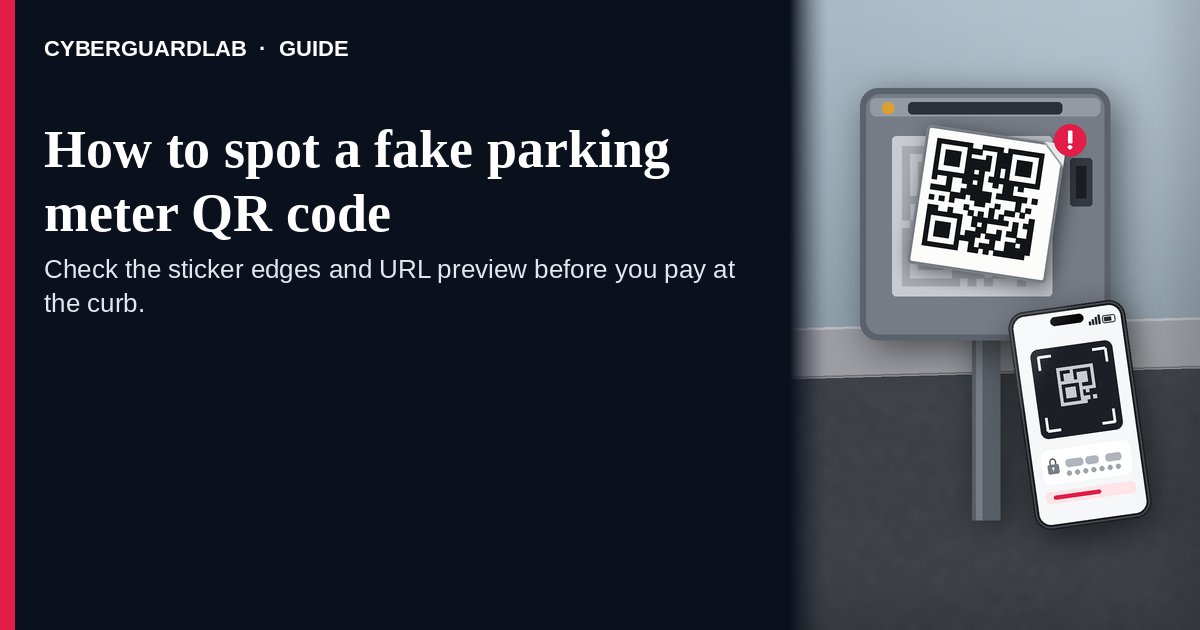
A fake parking meter QR code is a sticker someone puts on a meter, pay station, or parking sign so the code you scan is theirs, not the city’s or the lot’s. The FTC says people have reported scammers covering legit parking QR codes with a code of their own, and that scanning it can open a fake site built to take your money, your personal information, or both. The FBI warns that some scammers physically paste bogus codes over legitimate ones, and that a bad code can lead to a fake payment portal or malware. A Manhattan District Attorney’s Office press release describes fake stickers on parking meters that led to a website not affiliated with PARKNYC, the city’s approved parking pay app. This page is about physical QR stickers on parking meters and pay stations. Broader QR tricks are in How to spot a QR code scam. CyberGuardLab is an independent site. Some other pages may earn referral fees, which can affect which products appear there. You can follow every free step here and buy nothing.
The short answer
Before you scan a parking QR, look at the sticker itself: edges, glue, and whether it sits on top of another code. If your phone previews the URL, read it for misspellings or odd domains. Prefer the city’s or the lot’s own app or a meter that takes a card or coins. If you already scanned and typed card or login details, stop using that site, change those passwords, and check your statements.
How a fake parking meter QR sticker works
Official alerts describe a short, physical swap:
- A sticker covers the real pay code. The FTC says scammers cover legit QR codes on parking meters with a QR code of their own. The Manhattan DA’s Office press release describes a victim who noticed the “Web Pay. Scan to Pay” sticker had been placed on top of the official PARKNYC sticker.
- The scan opens a look-alike pay page. The FTC says the fake site is designed to steal money, personal information, or both. In the Manhattan case described by the DA’s Office, the page showed a PARKNYC logo and asked for a credit card number, expiration date, phone number, billing address, and license plate.
- Urgency does the rest. You are standing at a meter with a ticking session. The sticker looks official enough that many people pay without checking the URL.
- A bad code can do more than take a card. The FBI says scanning a scammer’s code can give them access to your device, download malware, or send you to a fake payment portal where banking and credit card details are entered.
- Cities may not use roadside QR at all. District Attorney Bragg stated, in that same press release, that the city does not ask you to scan a QR code when parking — so a meter sticker that insists you “scan to pay” is a reason to pause, not a reason to hurry.
- Officials remove fake codes when they find them. The DOI Commissioner’s statement in that press release says the New York City Department of Transportation inspected Manhattan meters and removed 64 fake QR codes after learning of the scheme. Finding a clean meter today does not mean the next block is clean.
Fake parking QR sticker vs real parking pay vs related lure
| Signal | Fake parking meter QR sticker | Real parking payment | Related lure (traffic-violation QR text) |
|---|---|---|---|
| Where it shows up | A sticker on a meter, pay station, or parking sign | City app (for example PARKNYC), lot app, meter card reader, or coins | A text that claims you owe a traffic fine and includes a QR code |
| What it asks | Scan here to pay; often opens a site that asks for card and personal details | Pay inside the official app you installed yourself, or at the meter hardware | Scan to pay a fine or avoid a hearing |
| Physical clues | Raised edges, fresh glue, a second code underneath, crooked alignment | Printed into the machine or a durable official plate | No meter involved; the lure is the text itself |
| Safe next step | Don’t scan; use the official app or another pay method | Pay through the app or hardware you trust | Don’t scan; check the court yourself — see jury duty / warrant-style lures |
| Where to read more | This page | Your city’s parking app help page (typed by you) | How to spot a QR code scam |
How to spot a fake parking meter QR code
Use these free steps at the curb. You do not need paid software to finish them.
- Inspect the sticker before you aim the camera. Look for a raised edge, fresh adhesive, a code sitting on top of another code, or a sticker that does not match the meter’s other labels. The FBI says if a code looks as though it has been tampered with, don’t use it. The Manhattan DA’s Office describes a victim who only noticed the overlay after the fake page kept buffering.
- Prefer an official app or the meter’s own hardware. Open the parking app from your phone’s app store search or from a bookmark you already trust, or pay with the card reader or coins on the machine. Do not treat a roadside sticker as the only way to pay. Where a city says it does not ask you to scan a QR code to park, treat any “scan to pay” sticker as a warning.
- If you still scan, read the URL preview first. The FTC says many QR readers show the link before you open it, and that you should check for spelling mistakes or switched letters before you tap through. Close the page if the domain is not the city, the lot, or the payment brand you expect.
- Never type card, login, or license-plate details on a page you don’t trust. Leave without submitting. The FTC says not to interact with someone through a site you think is fake, because they may try to get money or sensitive information from you.
- If you already entered information, lock it down. Change passwords for any account whose credentials you typed, especially if you reuse passwords elsewhere, and turn on multi-factor authentication where you can (Turn on 2FA for Gmail, Apple, and your bank). Review credit card and bank statements for charges you didn’t make. If a card number was entered, call the issuer and follow What to do in the first hour after credit card fraud. More first-hour steps after a bad link: Clicked a phishing link — first hour.
- Report it. Tell ReportFraud.ftc.gov what you saw (location, photo of the sticker if you have one, and the URL if you noted it). The FBI asks victims of online fraud to report at IC3.gov. If personal information was misused, start at IdentityTheft.gov (Report identity theft). Walkthrough: How to report a scam to the FTC. If your city or lot has a parking fraud tip line, use that too.
Signs the parking QR is fake (quick check)
| Sign | Why it matters | What to do |
|---|---|---|
| The code is a peel-able sticker on top of another code | The FTC and FBI both describe overlays covering legitimate codes | Don’t scan; pay another way |
| The URL preview has typos or an odd domain | The FTC says to inspect the previewed link for spelling mistakes or switched letters | Close it; open the official app yourself |
| The page asks for a password or full card details on a site you don’t recognize | The FBI says to be suspicious if, after scanning, a site asks for a password or login info | Leave without submitting |
| The sticker is the only “official” pay method in sight | DA Bragg stated the city does not ask you to scan a QR code when parking | Use the city’s app or meter hardware instead |
| Edges look fresh, crooked, or different from other labels on the meter | Physical pasting is how these overlays are placed, per the FBI | Photograph for a report; don’t scan |
| You already paid and the session never started, or charges look wrong | The FTC says to review credit card and bank statements after a bad scan | Call the issuer; report at ReportFraud.ftc.gov |
Free habits that shrink the risk
None of these needs a subscription.
- Household rule: nobody pays for parking by scanning a random sticker. Use the official app or the machine’s own reader.
- Keep the phone’s operating system current so known bad links are harder to turn into a compromise. Apple’s steps: Settings > General > Software Update. Android: Settings > System > Software updates (wording varies by maker). Broader device update habits: Turn on automatic updates.
- Use a different strong password for banking and email, stored in a password manager, with multi-factor authentication on (Password manager setup for a US household).
- Turn on purchase alerts from your card issuer so a parking “payment” you didn’t authorize shows up in minutes.
- Treat gift-card or “refund” QR pitches as a separate scam family: How to spot a gift card scam.
What this page is not
This guide covers one curb-side pattern: a QR sticker on a parking meter, pay station, or parking sign that hijacks the pay flow.
It is not the general QR primer for menus, posters, emails, and package inserts — that is How to spot a QR code scam. It is not the text-message lure that claims you owe a traffic fine and includes a QR code to “settle” it (the FTC covered that pattern in April 2026; related court-threat framing is in How to spot a jury duty warrant scam). It is not a gift-card pressure pitch (gift card scam), and it is not a phone call that asks you to install remote-access software (tech support scam phone call). We are not claiming every parking QR in every city is fake, and we are not giving legal advice beyond what the FTC, FBI, and the cited DA press release publish.
If you want an optional paid layer
A fake meter sticker is a physical problem first. Free inspection, official apps, and password/card follow-up handle most of it. Paid software is optional — for example if you want extra web filtering on a phone that scans codes often, or identity monitoring after you typed personal details on a bad page. Compare only if you already want that layer:
- Norton plans: device protection bundled with identity features on some tiers (paid link; check renewal pricing).
- Bitdefender plans: a suite to compare if independent lab scores matter to you (paid link).
- TotalAV plans: a household option to price out (paid link; check what renews).
- McAfee plans: one subscription across several devices (paid link; check the device limit).
- Avast plans: another suite some households already run (paid link).
Skipping every paid option is fine. These links stay on this site only.
FAQ
Is every parking QR code a scam?
No. Some lots and cities publish real pay codes. The risk the FTC and FBI describe is a sticker that covers or replaces a legitimate code, or a code on a meter in a place that does not use roadside QR pay. Inspect the sticker and the URL before you pay.
What if my city really uses QR codes to pay for parking?
Still check for an overlay and read the URL preview. Prefer opening the city’s official parking app from your app store or a bookmark you already trust, instead of trusting a sticker alone.
I already scanned and entered my card. What now?
Stop using that page. Call your card issuer, watch statements, and change any password you typed on the page — especially if you reuse it elsewhere. The FTC also says to report at ReportFraud.ftc.gov. First-hour checklist: Clicked a phishing link — first hour and credit card fraud — first hour.
The page looked exactly like the city’s parking app. Does that mean it’s real?
Not by itself. The Manhattan DA’s Office press release describes a fraudulent site that displayed a PARKNYC logo and asked for card and personal details even though it was not affiliated with the official platform.
Should I peel the fake sticker off?
Photograph it for a report, then tell the parking operator or city if you can do so safely. Don’t linger in traffic to scrape hardware. Reporting at ReportFraud.ftc.gov and IC3.gov still helps even if the sticker is gone when crews arrive.
Is a text about a traffic ticket the same scam?
No. That lure arrives as a text with a QR code claiming you owe a fine; the FTC covered it separately in April 2026. This page is about stickers on meters and pay stations. For court-threat phrasing, see How to spot a jury duty warrant scam.