 Cyber
Cyber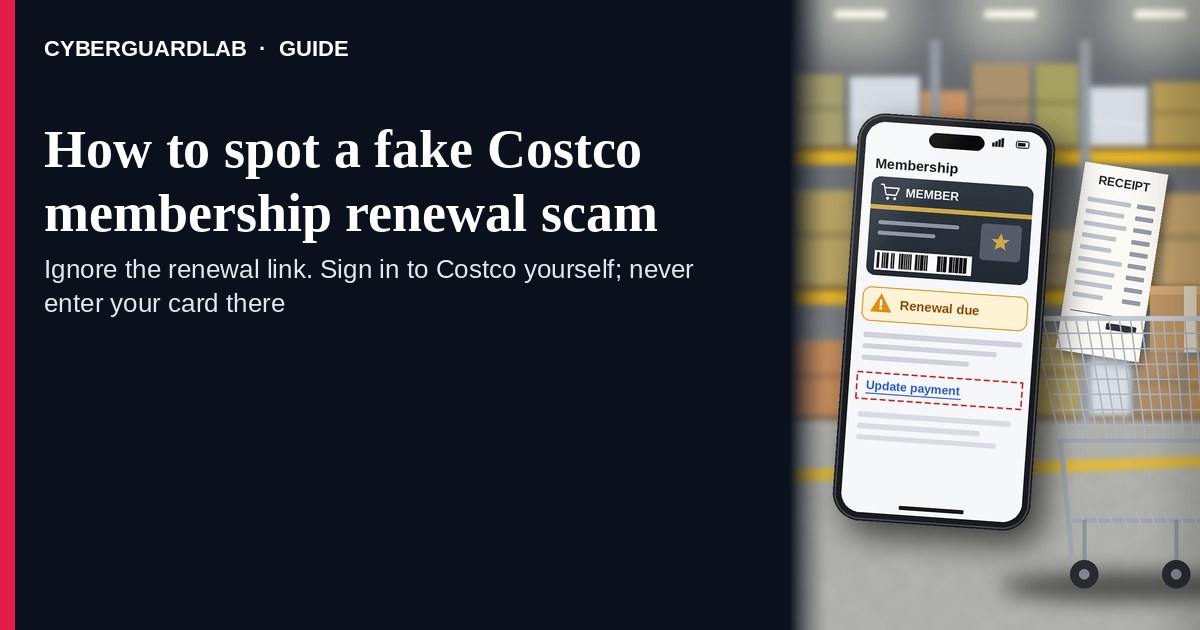
A fake Costco membership renewal scam is an unexpected email, SMS, or push-style message that claims your Costco membership “expires today,” that Costco charged an unusual amount, or that you must “update payment” / “renew membership” through a cold link. Real Costco membership and payment controls live inside the account you open yourself on costco.com (or at the warehouse / official Costco phone path you already trust) — not inside a cold renew / pay / update link. Costco Customer Service publishes membership and account help pages; the safe habit is to renew only after signing into costco.com yourself or at the warehouse / official phone — never from a cold renewal link. This page is about Costco-branded membership renewal / “update payment / membership expired” phishing only. The Amazon Prime cousin is Amazon Prime renewal scam. Related first-hour steps: Clicked a phishing link — first hour. CyberGuardLab is independent. Referral fees may affect product placement on other pages. Buying nothing and sticking to free verification habits is a valid outcome.
The short answer
Ignore the renew / update-payment link in an unexpected “Costco membership expired” or “unusual Costco charge” message; verify only at costco.com, the warehouse, or an official Costco phone path you open yourself; never enter your Costco password or card on a cold page.
What a fake Costco membership renewal usually looks like
Scammers copy Costco membership language: “Membership expires today,” “renew to keep warehouse privileges,” “update your payment method,” “unauthorized charge — cancel now,” or “Gold Star / Executive membership suspended.” The job is credential theft, card theft, or both.
Common shapes US households report:
- Email claiming Costco membership is about to expire with a bright “Renew now,” “Update payment,” or “Keep your membership” button that does not land on costco.com.
- SMS or iMessage about an “unusual Costco charge” or “membership payment failed” with a short link to “view invoice,” “dispute,” or “renew before tomorrow.”
- Look-alike Costco login or billing page after you tap — then your email, password, membership number, and often a card / one-time code harvest.
- Fake membership receipt or “warehouse privileges revoked” notice that mixes real-looking membership IDs with a “manage billing” link outside Costco.
- Follow-up after any reply or tap — once you engage, expect more “support” emails or a scripted call. Related renewal-style lure: Amazon Prime renewal scam. Related first-hour steps: Clicked a phishing link — first hour.
FTC phishing guidance: do not click links in unexpected messages; if you think it might be real, contact the company with a website or phone number you know is real; report at ReportFraud.ftc.gov.
We do not claim Costco “never emails about membership.” Costco may send real membership and account notices. The safe habit is always the same: leave the unexpected message, open costco.com yourself (or renew at the warehouse / official phone), and manage membership only inside a session or channel you started.
Fake Costco renewal vs real Costco notice vs Amazon Prime renewal scam
| Signal | Fake Costco membership renewal / payment message | Real Costco membership notice (typical) | Related renewal phishing (Amazon Prime) |
|---|---|---|---|
| Opening hook | “Costco membership expires today — renew / update payment / unusual charge.” | Membership or account details you can also see after you sign into costco.com yourself or ask at the warehouse. | “Prime expires today — renew / unusual Amazon charge.” |
| Ask | Cold link, password on a look-alike page, card “to keep membership.” | Usually none inside the message — manage billing inside signed-in Costco / warehouse / official phone. | Cold Amazon renew / dispute link or look-alike login. |
| Pressure | Same-day loss of warehouse privileges, “final notice,” refund countdown. | Normal membership calendar; you verify on your schedule. | Same-day loss of Prime benefits or refund countdown. |
| Safe next step | Ignore link. Type costco.com, visit the warehouse, or use official Costco phone. | Confirm membership and payment only inside Costco channels you start. | See Amazon Prime renewal scam guide. |
| Related guide | This page | costco.com / My Account typed by you · warehouse / official phone | Amazon Prime renewal scam |
If the page after the tap asks for your Costco password plus a card or one-time code, stop — that is credential theft dressed as a membership bill.
How to verify a Costco membership renewal message (US household steps)
Do this when any unexpected Costco expire / renew / update-payment / unusual-charge message appears. You do not need a paid product to finish these steps.
- Do not tap the link, reply YES/NO, or call a number that lives only inside the message. Close the email or text. Do not discuss the “charge” with a caller who contacted you first.
- Open Costco the way you already trust. Type costco.com yourself, use a bookmark you saved earlier, open Costco My Account after you sign in yourself, renew at the warehouse membership desk, or use an official Costco phone number you looked up yourself — not the renew / update-payment link from the unexpected message.
- Check membership and payment methods only inside a session or channel you started. Look at membership status and payment details on costco.com / My Account, or ask at the warehouse. If nothing unexpected appears, treat the message as spam.
- Never enter your Costco password, membership number, card, or one-time code on a page that arrived from a cold email or text. Legitimate Costco membership work does not require you to trust an unexpected shortener or look-alike domain.
- If you already tapped, typed a password, or entered a card, treat the first hour as incident response. Change your Costco / account password from a session you started; turn on 2FA on the email that owns the account if it was off; call the number on the back of your card to watch for fraud. Follow Clicked a phishing link — first hour. Report at ReportFraud.ftc.gov; if identity data was stolen, use IdentityTheft.gov.
- Report the message and tell the household. Mark the email as phishing / junk; forward scam texts to 7726 (SPAM); file at ReportFraud.ftc.gov. Agree that nobody renews Costco, updates payment, or “keeps membership” from unexpected links — only via costco.com you open yourself, the warehouse, or official phone. Checklist: How to report a scam to the FTC.
Signs the message is fake or unsafe (scan table)
Use this as a quick pass before you spend money or time.
| Sign | Why it matters | What to do |
|---|---|---|
| Renew / update payment / cancel / dispute link lives only inside the unexpected message | Password and card theft | Ignore; open costco.com, warehouse, or official phone |
| URL is a shortener, misspelled Costco name, or random form host | Phishing page | Never tap; type costco.com |
| Urgent “membership ends in 2 hours” or “refund only if you confirm today” | Fear used to skip verification | Slow down; check membership inside Costco channels you start |
| Sender address is not a Costco domain you recognize, or reply-to looks odd | Easy to spoof display names | Verify only inside a session / channel you start |
| Page asks for Costco password plus card / OTP / membership number on the same cold form | Credential + payment harvest | Stop; change password from official Costco if you typed anything |
| You already replied, tapped, or spoke to a “membership agent” | Follow-up spam, malware, or account takeover risk | Stop engaging; verify on costco.com; run first-hour steps if you entered secrets |
Free habits that reduce the blast radius
You do not need a new subscription to lower damage if a fake Costco membership renewal gets through.
- Bookmark costco.com / My Account; renew only there, at the warehouse, or via official Costco phone you look up yourself — never from a cold renewal link.
- Household rule: never use renew / update-payment / dispute links inside unexpected Costco emails or texts.
- Strong unique passwords + 2FA on email and related accounts limit what a stolen password can unlock.
- Forward obvious scam texts to 7726; enable carrier and mailbox spam filtering when available.
- Optional antivirus / web filtering is a separate layer after a bad tap; it does not replace the verify-on-costco.com habit. Built-in Microsoft Defender plus those habits is enough for many households.
What this page is not
This page is not a guide to canceling a real Costco membership, not a review of Costco pricing tiers, and not legal advice about a specific charge dispute.
It does not claim CyberGuardLab lab scores or “#1 anti-phishing” ranks. It does not tell you to ignore a real membership change you can also see inside your signed-in Costco account or at the warehouse — it tells you to verify there, not in the cold message. It is not the Amazon Prime renewal guide; for that brand costume, read Amazon Prime renewal scam. Official recovery and reporting stay with Costco Customer Service / account help, your card issuer, ReportFraud.ftc.gov, and IdentityTheft.gov if personal data was stolen.
If you decide a paid extra is a real job
Most households can handle fake Costco membership renewal messages with the free steps above. Open a paid page only if you already named a job — for example broader web filtering, cross-device AV, or identity alerts after you gave a scammer personal data — and you will actually use it.
- PC / Mac suite with phishing and web protections many households already compare: Norton plans (paid link; confirm renewal price).
- Independent-test–oriented suite option: Bitdefender plans (paid link).
- Household suite shopping starting point: TotalAV plans (paid link; confirm renewal).
- Multi-device bill under one vendor: McAfee plans (paid link; confirm device limit).
- Another suite path some homes already use: Avast plans (paid link).
Buying nothing beyond free official-site / warehouse verification habits is still valid. Paid links above are on-site only.
FAQ
Does Costco really email or text about membership renewals?
Costco may send real membership and account notices. That is why the safe test is not “Costco never messages,” but “I only renew or update payment inside costco.com I open myself, at the warehouse, or via official Costco phone — never from a cold link.”
The message shows my name, membership number, or warehouse city. Is that enough?
No. Names, membership-like strings, and city labels are easy to reuse from breaches, prior purchases, or guesswork. Trust the Costco session or warehouse channel you start yourself, not the message chrome.
I already entered my Costco password or card on the renew page. What should I do first?
Change your password from costco.com you open if you still can. Watch email and payment methods for changes. Call the number on the back of your card about possible fraud. Follow Clicked a phishing link — first hour. Report at ReportFraud.ftc.gov.
How is this different from a fake Amazon Prime renewal scam?
This page is Costco-branded membership renewal / update-payment phishing only. Amazon Prime renewal scam covers the Amazon Prime expire / renew / unusual-charge costume. Same habit (ignore cold renew links; open the real site yourself), different brand.
How do I report a fake Costco membership renewal scam?
Mark the email as phishing / junk, forward scam texts to 7726 (SPAM), and file at ReportFraud.ftc.gov. Steps for the FTC side are in How to report a scam to the FTC.
Do I need paid antivirus to spot these messages?
No. Spotting is a verification habit: ignore the link, open costco.com or renew at the warehouse / official phone, never enter secrets on a cold page. Microsoft Defender plus those habits is enough for many households. Antivirus can be a separate optional layer for malware after a bad tap; it does not replace that habit.