 Cyber
Cyber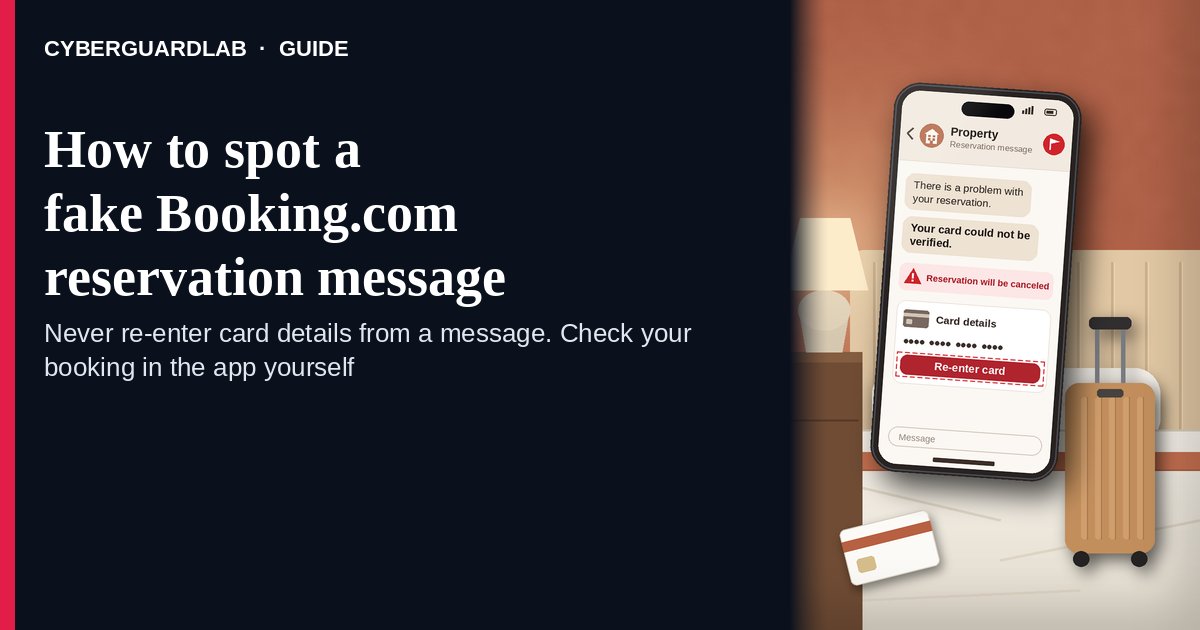
A fake Booking.com reservation message is a text, email, WhatsApp message, call, or even a chat message that appears to come from your hotel or from Booking.com and says your booking is at risk — a card “failed,” your stay needs “verification,” or the room will be canceled within hours — unless you re-enter card details or pay through a link. Booking.com’s own safety page is direct: it says it will never ask you to share credit card details by email, over the phone, through text or WhatsApp, and never ask you to make a bank transfer that is different from the payment policy in your booking confirmation. It also warns that these messages often claim to come from the property and include convincing details about your dates and cost. The safe habit is to ignore the link, open the Booking.com app or type booking.com yourself, compare the request with the payment policy in your confirmation, and contact Booking.com customer service if anything doesn’t match. This page is about messages tied to a real Booking.com reservation only. Fake rental listings are in Vacation rental scam; the Airbnb version is Fake Airbnb host message. CyberGuardLab is independent. Referral fees may affect product placement on other pages. Buying nothing and sticking to free verification habits is a valid outcome.
The short answer
Never re-enter card details or pay through a link because a “hotel” or “Booking.com” message says your stay is at risk. Open the Booking.com app or booking.com yourself, check the payment policy in your confirmation, and ask Booking.com customer service if the request doesn’t match.
What a fake Booking.com reservation message usually looks like
Because it can quote your real dates, hotel, and price, the message feels like it must be genuine. The ask is what gives it away.
Common shapes US households report:
- “Your card could not be verified — your reservation will be canceled” with a link to a payment page and a deadline of a few hours.
- A message that looks like it’s from the property, by email, text, or WhatsApp, saying you must “confirm your identity” or “re-register” by entering card details.
- A message inside the Booking.com chat itself. The UK consumer group Which? has reported travelers receiving payment-link messages through Booking.com’s app after a property’s account was compromised. A real channel doesn’t make a card request safe.
- A request to pay by bank transfer, wire, or a payment app instead of the payment method shown in your booking confirmation.
- A phone call from “Booking.com” or the hotel asking for your full card number or your Booking.com password. Booking.com says its customer service representatives will only ask for your reservation ID and/or PIN.
Some messages use a QR code instead of a link; the same rule applies (see QR code scam).
We do not claim properties never message guests. Real hotels do send check-in details. The test is whether a message asks for card details or a payment that isn’t in your confirmation.
Fake reservation message vs real booking message vs related lure
| Signal | Fake Booking.com reservation message | Real property or Booking.com message (typical) | Related lure (fake rental listing) |
|---|---|---|---|
| Opening hook | “Payment failed — confirm your card or lose the room today.” | Check-in time, directions, or a question about arrival. | A too-good listing that wants a deposit to “hold” it (see Vacation rental scam). |
| Ask | Card details or a payment through a link, QR code, or bank transfer | Nothing financial beyond the payment policy already in your confirmation | Wire, gift card, or payment app before you see the place |
| Pressure | Cancellation in hours | None; your confirmation stays the same | “Other renters are interested” |
| Safe next step | Ignore the link; open Booking.com yourself and compare with your confirmation | Reply inside the app if you want; no card needed | Book only through the platform; never pay off-site |
| Related guide | This page | Booking.com app / booking.com typed by you · Booking.com Customer Service | Vacation rental scam |
If a message asks you to pay for something outside the payment policy in your booking confirmation, Booking.com’s advice is not to engage or share personal or financial details, and to contact its Customer Service team instead.
How to verify a Booking.com reservation message (US household steps)
Do this whenever an unexpected payment, verification, or cancellation message about a stay appears. You do not need a paid product to finish these steps.
- Do not tap the link, scan the code, reply with details, or call the number. Leave the message where it is.
- Open Booking.com the way you trust. Use the Booking.com app you installed earlier or type booking.com yourself, sign in, and open the reservation.
- Compare the request with your booking confirmation. Look at the payment policy and status shown there. If your confirmation doesn’t mention a new charge or verification, treat the message as a scam.
- If you’re still unsure, contact Booking.com customer service from inside the app or site. Booking.com says its representatives will only ask for your reservation ID and/or PIN, not your card number or account password. If you call the hotel, use a number you found yourself, not one in the message.
- If you already entered card details, call your card issuer now. Booking.com advises asking your bank or payment provider to block the card and issue a new one, watching for unrecognized charges, and resetting your Booking.com password with two-factor authentication turned on. Steps: Credit card fraud — first hour, then Dispute a fraudulent credit card charge for anything that already posted.
- Report it and tell your travel group. Report the message to Booking.com customer service, forward scam texts to 7726 (SPAM), forward phishing emails to reportphishing@apwg.org, and file at ReportFraud.ftc.gov. Let anyone else on the trip know not to pay through messages. Checklist: How to report a scam to the FTC.
Signs the message is fake or unsafe (scan table)
Use this as a quick pass before you touch your card.
| Sign | Why it matters | What to do |
|---|---|---|
| Asks for card details by email, text, chat, WhatsApp, or phone | Booking.com says it will never ask for this | Don’t send; check the reservation yourself |
| Payment link or QR code to “keep” the booking | Leads to a page that collects your card | Ignore; compare with your confirmation |
| Bank transfer or payment app instead of your booked method | Booking.com says it won’t ask for a transfer that differs from your payment policy | Refuse; contact Booking.com customer service |
| Cancellation deadline in hours | Urgency stops you from checking | Slow down; your confirmation shows the real status |
| Message knows your dates and price | Booking.com warns scammers can include convincing details | Real details prove nothing; the ask decides |
| Caller wants your Booking.com password | Booking.com says reps only need reservation ID and/or PIN | Hang up; reset your password if you shared it |
Free habits that reduce the blast radius
You do not need a new subscription to lower damage if a fake reservation message gets through.
- Manage every stay from the Booking.com app or a bookmark for booking.com — never from a message link.
- Turn on two-factor authentication in your Booking.com account’s security settings, as Booking.com recommends.
- Save your booking confirmation so you can compare any payment request against its payment policy.
- Household rule: nobody on the trip pays, sends card details, or scans a code because of a message about the booking.
- Optional antivirus or web filtering is a separate layer after a bad tap; it does not replace the open-it-yourself habit. Built-in Microsoft Defender plus those habits is enough for many households.
What this page is not
This page is not a review of Booking.com, not travel or refund advice, and not a guide for property owners whose partner account was hacked.
It does not claim CyberGuardLab lab scores or “#1 anti-phishing” ranks. It does not say every hotel message is fake — it tells you to check payment requests against your confirmation. It is not the fake-listing guide (see Vacation rental scam) and not the Airbnb guide (see Fake Airbnb host message). Official help stays with Booking.com Customer Service, your card issuer, and ReportFraud.ftc.gov.
If you decide a paid extra is a real job
Most households can handle fake reservation messages with the free steps above. Open a paid page only if you already named a job — for example broader web filtering on the phones you travel with, or identity alerts after you gave a scammer personal data — and you will actually use it.
- PC / Mac suite with phishing and web protections many households already compare: Norton plans (paid link; confirm renewal price).
- Independent-test–oriented suite option: Bitdefender plans (paid link).
- Household suite shopping starting point: TotalAV plans (paid link; confirm renewal).
- Multi-device bill under one vendor: McAfee plans (paid link; confirm device limit).
- Another suite path some homes already use: Avast plans (paid link).
Buying nothing beyond free open-it-yourself habits is still valid. Paid links above are on-site only.
FAQ
Does Booking.com ever ask for my card details by message?
Booking.com’s safety page says it will never ask you to share credit card details by email, over the phone, through text or WhatsApp, and never ask for a bank transfer that differs from the payment policy in your booking confirmation. Treat any such request as a scam.
The message came through the Booking.com app. Isn’t that safe?
Not automatically. Which? has reported scam payment links sent through Booking.com’s chat after a property’s account was compromised. Judge the ask, not the channel: if it wants card details or a payment outside your confirmation’s policy, don’t do it.
How did the scammer know my dates and price?
Booking.com warns that these messages often include convincing details about the dates and cost of your stay. Knowing your booking doesn’t make the sender legitimate. Check the reservation in the app or on booking.com yourself.
I already entered my card on the link. What should I do first?
Call the number on the back of your card, ask to block it and get a new one, and watch for charges you don’t recognize. Then reset your Booking.com password, turn on two-factor authentication, and follow Credit card fraud — first hour.
How do I report a fake Booking.com message?
Report it to Booking.com customer service from the app or site, forward scam texts to 7726 (SPAM), forward phishing emails to reportphishing@apwg.org, and file at ReportFraud.ftc.gov.
Do I need paid antivirus to spot these messages?
No. Spotting is a habit: ignore the link, open the reservation yourself, compare with your confirmation. Microsoft Defender plus those habits is enough for many households. Antivirus can be an optional layer after a bad tap; it does not replace that habit.