 Cyber
Cyber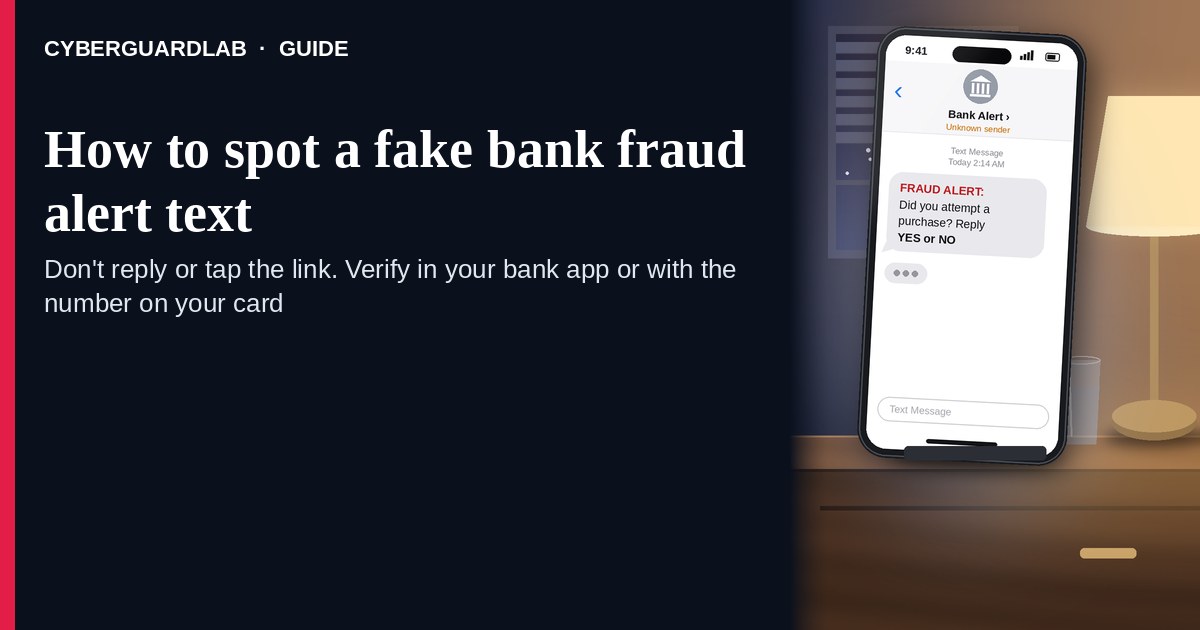
A fake bank fraud alert text (or iMessage) is designed to panic you into calling a number in the message, tapping a “secure” link, or reading a one-time code to someone on the phone. Real banks do send some fraud and login alerts — the problem is the verification path, not the word “fraud” itself. The FTC’s guidance on bank-impersonation calls and texts is clear: never share a verification code; never move money to “protect” it; if you are worried, contact the bank using the number on your card or statement — never the number in the unexpected message. Hang up / ignore the link. Open the official bank app from your home screen or type the URL from the back of your card yourself. This lure often feeds an OTP relay scam call. CyberGuardLab is independent. Referral fees may affect product placement on other pages. Buying nothing and sticking to free bank habits is a valid outcome.
The short answer
Ignore the link and the callback number in an unexpected “fraud alert” text; verify only inside your official bank app or by dialing the number on your card; never read a one-time code to a caller.
What a fake fraud alert usually looks like
Scammers copy bank language: “suspicious charge,” “did you authorize $1,249?,” “reply YES/NO,” or “call to secure your account.” The job is account takeover or a wire you authorize under pressure.
Common shapes US households report:
- SMS claiming Chase / Bank of America / Wells Fargo / Capital One (or “your bank”) spotted fraud with a short link or a phone number to call.
- “Reply Y or N” trap — any reply can confirm your number is live and invite a follow-up call.
- Callback that asks for a one-time passcode that just arrived on your phone — that is the OTP relay pattern.
- “Move your money to a safe account” pitch — the FTC says anyone who tells you to transfer funds to protect them is a scammer, period.
- Look-alike login page after you tap the link — then a password + OTP harvest that unlocks the real account.
FTC spam-text guidance: do not click links or respond to unexpected texts; if you think it might be real, contact the company with a phone number or website you know is real; forward scam texts to 7726 (SPAM) and report at ReportFraud.ftc.gov.
We do not claim that a specific major bank “never texts.” Many banks send real alerts. The safe habit is always the same: leave the text, open the official app or dial the card number yourself.
Fake alert text vs real bank alert vs OTP relay
| Signal | Fake fraud-alert text | Real bank alert (typical) | OTP relay follow-up |
|---|---|---|---|
| Opening hook | “Fraud on your account — tap / call now.” | Short notice of a login, card purchase, or app alert you can also see in the official app. | “Read me the code we just sent so we can cancel the charge.” |
| Ask | Link, callback number, YES/NO reply, password on a look-alike site. | Usually none — or “open the app” without a cold link you must trust. | Your one-time code / verification code. |
| Pressure | Countdown, “account locked,” large fake charge. | Informational; you verify on your schedule in the app. | “Stay on the line,” “do not hang up or the money leaves.” |
| Safe next step | Ignore link/number. Open official app or dial card back. | Confirm inside the official app or signed-in site you typed yourself. | Hang up. Never read the code. See OTP relay guide. |
| Related guide | This page | Turn on 2FA | OTP relay scam call |
If someone already has you on the phone asking for a code, stop — that is not “customer service.” It is account takeover in progress.
How to verify a bank fraud alert (US household steps)
Do this when any unexpected fraud text or call appears. You do not need a paid product to finish these steps.
- Do not tap the link, reply YES/NO, or call the number in the text. Close the message. Do not discuss the alert with a caller who contacted you first.
- Open the official bank app from your home screen, or type the bank URL / dial the number on the back of your debit or credit card. Sign in only there. Check recent transactions and security alerts yourself.
- Never share a one-time code, password, PIN, or full SSN with a caller or in a reply to the text. The FTC states that no caller — including someone claiming to be from your bank’s fraud department — should ask for the verification code; sharing it proves they are you.
- Never move money to a “safe account,” gift-card balance, or crypto wallet because a stranger said your funds are at risk. The FTC: someone who says you must move money to protect it is a scammer.
- If you already tapped, typed a password, shared a code, or moved money, treat the first hour as incident response. Call the number on your card from a different phone if needed; freeze cards; change online banking and email passwords from a clean device; review payees and transfers. Follow Clicked a phishing link — first hour and Bank account hacked — first hour. Report at ReportFraud.ftc.gov; if identity data was stolen, use IdentityTheft.gov.
- Report the text and tell the household. Forward the scam text to 7726 (SPAM), report junk in your messaging app, and file at ReportFraud.ftc.gov. Agree that nobody reads OTPs to callers and nobody uses links inside unexpected bank texts.
Signs the text is fake or unsafe (scan table)
Use this as a quick pass before you spend money or time.
| Sign | Why it matters | What to do |
|---|---|---|
| Link or callback number lives only inside the unexpected text | Credential and OTP theft | Ignore; open official app or dial card number |
| Asks you to read a one-time / verification code | Code is the second key to your account | Hang up; never share; see OTP relay guide |
| Asks you to move money to “protect” it | FTC: always a scam | Stop; call bank via card number |
| Sender is a random digit string or odd short code you do not recognize | Easy to spoof; not proof of the bank | Verify only in the official app |
| Urgent “account locked in 15 minutes” countdown | Fear used to skip verification | Slow down; check the real app |
| You already replied YES/NO or tapped once | Follow-up call or malware risk | Stop engaging; verify in app; run first-hour steps if you entered a password |
Free habits that reduce the blast radius
You do not need a new subscription to lower damage if a fake alert gets through.
- Official bank app on the home screen; bookmarks only for URLs you typed yourself.
- Strong unique passwords + 2FA on email and banking (authenticator app preferred when the bank offers it).
- Household rule: never read SMS codes to callers; never use payment links inside unexpected texts.
- Forward obvious scam texts to 7726; enable carrier spam filtering when available.
- Optional antivirus / web filtering is a separate layer after a bad tap; it does not replace the verify-in-app habit.
What this page is not
This page is not a ranking of banks, not a list of which banks “never text,” and not legal advice about your specific dispute rights.
It does not claim CyberGuardLab lab scores or “#1 anti-phishing” ranks. It does not tell you to ignore a real alert you can also see inside your signed-in official app — it tells you to verify there, not in the cold text. Official recovery and reporting stay with your bank’s fraud team (card-back number), ReportFraud.ftc.gov, and IdentityTheft.gov if personal data was stolen.
If you decide a paid extra is a real job
Most households can handle fake fraud-alert texts with the free steps above. Open a paid page only if you already named a job — for example broader web filtering, cross-device AV, or identity alerts after you gave a scammer personal data — and you will actually use it.
- PC / Mac suite with phishing and web protections many households already compare: Norton plans (paid link; confirm renewal price).
- Independent-test–oriented suite option: Bitdefender plans (paid link).
- Household suite shopping starting point: TotalAV plans (paid link; confirm renewal).
- Multi-device bill under one vendor: McAfee plans (paid link; confirm device limit).
- Another suite path some homes already use: Avast plans (paid link).
Buying nothing beyond free bank-app verification habits is still valid. Paid links above are on-site only.
FAQ
Do banks really send fraud alert texts?
Often yes — many banks offer SMS or push alerts. That is why the safe test is not “banks never text,” but “I only verify inside the official app or by calling the number on my card.”
The text has my bank’s name and a partial account number. Is that enough?
No. Display names and partial numbers are easy to fake or harvest from breaches. Trust the official app session you start yourself, not the message chrome.
Someone called after the text and wants the code that just arrived. What now?
Hang up. That is the OTP relay scam call pattern. Never read the code. Open the official app yourself and call the card-back number if something looks wrong.
I already entered my password on a link from the text. What should I do first?
Change the bank password from a device you trust (or call the card number for a freeze), change the email password that receives resets, turn on stronger 2FA, and follow Clicked a phishing link — first hour plus Bank account hacked — first hour. Report at ReportFraud.ftc.gov.
How do I report a fake bank fraud text?
Forward it to 7726 (SPAM), report junk in your messaging app, tell your bank using a number you trust, and file at ReportFraud.ftc.gov. Steps for the FTC side are in How to report a scam to the FTC.
Do I need paid antivirus to spot these texts?
No. Spotting is a verification habit: ignore the link, open the official app, never share OTPs. Antivirus can be a separate optional layer for malware after a bad tap; it does not replace that habit.