 Cyber
Cyber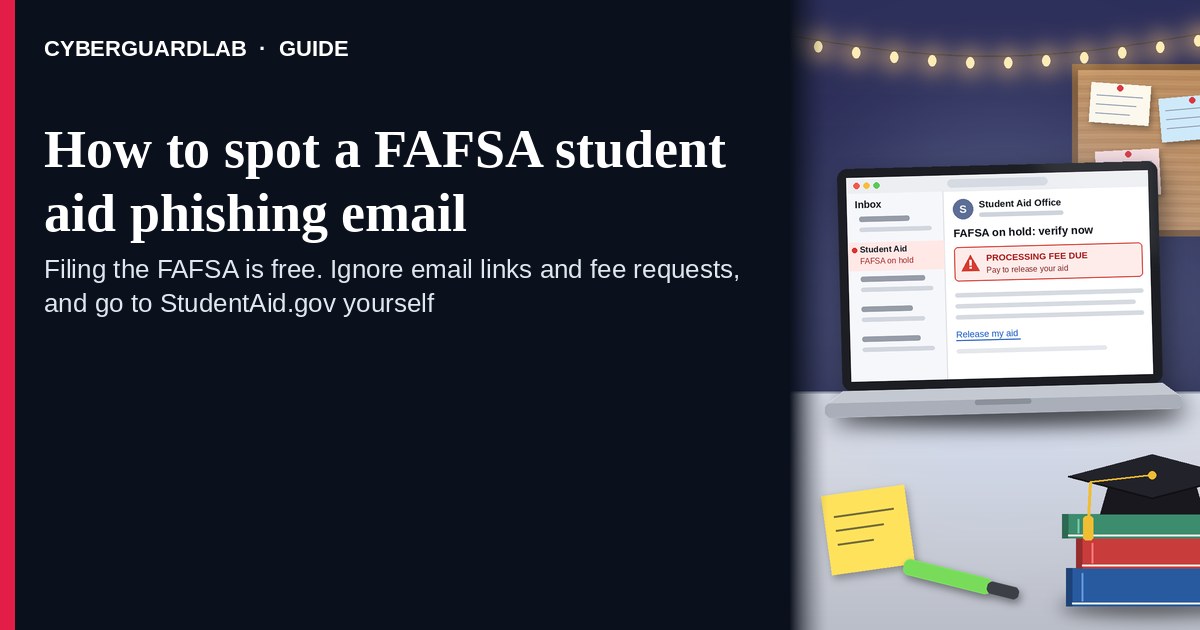
A FAFSA student aid phishing email (or text) is designed to look like Federal Student Aid, StudentAid.gov, or your school’s financial-aid office — then steal your FSA ID, Social Security number, tax data, or push a fake “expedite” / processing fee. The real Free Application for Federal Student Aid is free to file on the official site. The U.S. Department of Education’s StudentAid.gov guidance is clear: you never have to pay to submit a FAFSA; create and use your account only at StudentAid.gov; beware of sites and messages that ask for fees or harvest your FSA ID. Do not trust the link inside an unexpected aid email; open StudentAid.gov only from a URL you type yourself or a bookmark you saved. This pattern sits next to the student loan forgiveness scam and the scholarship application fee scam. CyberGuardLab is independent. Referral fees may affect product placement on other pages. Buying nothing and sticking to free official-site habits is a valid outcome.
The short answer
Ignore links and fee asks in unexpected FAFSA or student-aid emails; file and manage aid only at StudentAid.gov (or your school’s known financial-aid contacts); never pay to “expedite” a free FAFSA.
What FAFSA phishing usually looks like
Scammers copy federal-aid branding because families are under deadline pressure: FAFSA opens, school priority dates, verification requests, and loan “status” updates all feel urgent.
Common shapes US households report:
- “FAFSA locked / incomplete / action required” email with a button to a look-alike domain that harvests FSA ID username, password, and one-time codes.
- Fake “expedite,” processing, or release fee to submit or unlock a FAFSA — the real federal form does not charge that.
- Phishing for SSN, tax return uploads, or parent FSA ID through a cold form that is not StudentAid.gov.
- Text with a short link to “finish your student aid application” or “confirm IRS data retrieval.”
- Follow-up that morphs into loan forgiveness / consolidation pitches — same personal data, new costume; see student loan forgiveness scam.
FTC phishing guidance: unexpected messages that claim account problems or ask you to confirm payment are classic bait; do not click; contact the organization using a phone number or website you already know is real; report at ReportFraud.ftc.gov. CISA’s social-engineering guidance matches: verify through a channel you initiate.
A real StudentAid.gov notice or school financial-aid email is a different product. If the official site already shows the same task after you sign in yourself, act inside that signed-in session — not inside the email button.
FAFSA phishing vs loan forgiveness vs scholarship fee
| Signal | FAFSA / student aid phishing | Student loan forgiveness scam | Scholarship application fee scam |
|---|---|---|---|
| Opening hook | “FAFSA incomplete / FSA ID locked — log in or pay to finish.” | “Forgiveness / discharge approved — pay a fee or share login to claim.” | “Pay a processing fee to release scholarship money.” |
| Ask | FSA ID, SSN, tax data, fake expedite fee, OTP. | Loan servicer login, upfront “forgiveness fee,” personal data. | Application or “release” fee to a stranger. |
| Pressure | School deadline / aid will be canceled today. | Limited forgiveness window. | Deadline to claim aid. |
| Safe next step | Type StudentAid.gov yourself; call school financial aid with a number from the school site. | Use only StudentAid.gov / your real servicer contacts — see forgiveness guide. | Real aid does not require surprise fees to strangers — see scholarship guide. |
| Related guide | This page · How to spot a phishing email | Student loan forgiveness scam | Scholarship application fee scam |
If the message is only about a password reset you did not request, treat it like general phishing — still verify on StudentAid.gov, not the email button.
How to verify a FAFSA or student-aid message (US household steps)
Do this when any unexpected FAFSA, FSA ID, or federal student-aid claim appears. You do not need a paid product to finish these steps.
- Do not click the button, open the attachment, or reply with codes. Close the email or text. Hover or long-press only if you are documenting the URL for a report — do not visit it.
- Open aid accounts the way you already trust. Type https://studentaid.gov/ yourself, use a bookmark you saved, or use the official StudentAid tools you already installed — not a link from the message. Create or recover an FSA ID only there.
- Never pay to file or “expedite” a FAFSA. The federal application is free. School-specific fees (if any) belong on the school’s known payment channels — not a cold email “Pay now” page. Treat surprise processing fees like the scholarship application fee scam pattern.
- Protect SSN, tax data, and parent FSA IDs. Share them only inside the official StudentAid.gov session or with the school financial-aid office using contacts from the school website / handbook. Unique passwords and 2FA where available on the email that receives FSA codes limit takeover damage.
- If you already typed an FSA ID password, SSN, or paid on a fake page, treat the first hour as incident response. Change the FSA ID password from a clean StudentAid.gov session (use official account recovery if needed), change the matching email password, watch bank/card statements, and follow Clicked a phishing link — first hour. Report at ReportFraud.ftc.gov; if identity data was stolen, use IdentityTheft.gov. Tell your school financial-aid office. Checklist: How to report a scam to the FTC.
- Tell parents / caregivers who share the aid process. Parent FSA IDs and tax data are high-value targets. Agree that nobody files or “unlocks” FAFSA from unexpected email links, and nobody pays strangers to submit a free federal form.
Signs the message is fake or unsafe (scan table)
Use this as a quick pass before you spend money or time.
| Sign | Why it matters | What to do |
|---|---|---|
| Sender domain is not studentaid.gov / ed.gov (or is a free Gmail claiming to be “Federal Student Aid”) | Display names are easy to fake | Ignore; type StudentAid.gov yourself |
| Link goes to a look-alike spelling, URL shortener, or random form host | FSA ID and SSN theft | Never click; type the official site |
| Demands a fee to file, expedite, unlock, or “release” a FAFSA | Federal FAFSA filing is free | Stop; use StudentAid.gov only |
| Asks for a one-time code “to verify your FSA ID” after a cold email | OTP theft for account takeover | Do not share; sign in yourself on the real site |
| Threatens immediate loss of all aid, deportation-style language, or police for a missing form | Fear used to skip verification | End contact; check StudentAid.gov + school aid office |
| Pivots into loan forgiveness / consolidation with an upfront fee | Related forgiveness scam pattern | See student-loan-forgiveness guide; use official servicer contacts only |
Free habits that reduce the blast radius
You do not need a new subscription to lower damage if a FAFSA lure gets through.
- Bookmark https://studentaid.gov/ on every device used for aid tasks.
- Unique password for the FSA ID / StudentAid account; protect the email inbox that receives codes with 2FA.
- Household rule: FAFSA filing and FSA ID recovery only on StudentAid.gov — never from email buttons; never pay to submit the federal form.
- Mark obvious phishing as junk; tell the school financial-aid office when a message names your school.
- Optional antivirus / web filtering is a separate layer after a bad click; it does not replace the typed-URL habit.
What this page is not
This page is not a FAFSA filing tutorial, not a ranking of student-loan servicers, and not legal advice about your aid eligibility or appeals.
It does not claim CyberGuardLab lab scores or “#1 anti-phishing” ranks. It does not tell you to ignore a real task you can also see inside your signed-in StudentAid.gov account — it tells you to verify there, not in the email. Official help stays with StudentAid.gov, your school’s financial-aid office, ReportFraud.ftc.gov, and IdentityTheft.gov if personal data was stolen.
If you decide a paid extra is a real job
Most households can handle FAFSA phishing with the free steps above. Open a paid page only if you already named a job — for example broader web filtering, cross-device AV, or identity alerts after you gave a scammer personal data — and you will actually use it.
- PC / Mac suite with phishing and web protections many households already compare: Norton plans (paid link; confirm renewal price).
- Independent-test–oriented suite option: Bitdefender plans (paid link).
- Household suite shopping starting point: TotalAV plans (paid link; confirm renewal).
- Multi-device bill under one vendor: McAfee plans (paid link; confirm device limit).
- Another suite path some homes already use: Avast plans (paid link).
Buying nothing beyond free StudentAid.gov verification habits is still valid. Paid links above are on-site only.
FAQ
Did Federal Student Aid really email that my FAFSA is locked?
Maybe you have a real task — but you cannot trust the email alone. Sign in at StudentAid.gov by typing the address yourself. If nothing is wrong there, treat the message as phishing.
The email has a StudentAid / Department of Education logo. Is that enough?
No. Logos are trivial to copy. FTC phishing guidance focuses on urgency, unexpected payment asks, and suspicious links — not on whether a logo looks polished. Related habits: How to spot a phishing email.
Someone wants a fee to file or expedite my FAFSA. What now?
Do not pay. Filing the federal FAFSA is free on StudentAid.gov. Surprise “processing” fees are a scam pattern shared with scholarship application fee scam.
How is this different from student loan forgiveness scams?
FAFSA phishing steals FSA IDs / SSNs or fakes filing fees during the application stage. Forgiveness scams target existing borrowers with fake discharge fees or login theft. Related: Student loan forgiveness scam.
I already entered my FSA ID password or SSN on a fake page. What should I do first?
Change the FSA ID credentials from a clean StudentAid.gov session (or use official recovery), change the related email password, turn on stronger inbox 2FA, and follow Clicked a phishing link — first hour. Report at ReportFraud.ftc.gov and IdentityTheft.gov if needed; tell school financial aid.
Do I need paid antivirus to spot these emails?
No. Spotting is a verification habit: ignore the link, type StudentAid.gov, never pay to file a free FAFSA. Antivirus can be a separate optional layer for malware after a bad click; it does not replace that habit.